Dock, delivery, and move scheduling that tenants actually use.
One place for residents, vendors, and staff to request docks and elevators, approve in minutes, and keep the day on schedule.
How it works
Requests flow into one place; you approve fast; the timeline keeps everyone honest.
Request
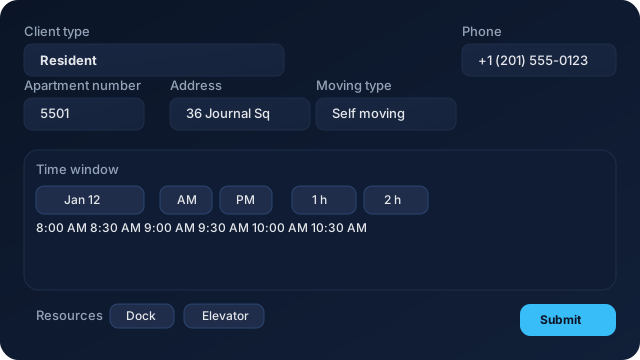
Residents and vendors pick a window, select resources, and add notes.
Approve
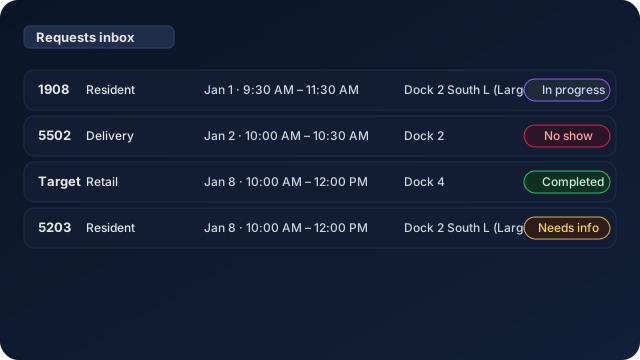
Staff review in one inbox—approve, deny, or request info in seconds.
Execute
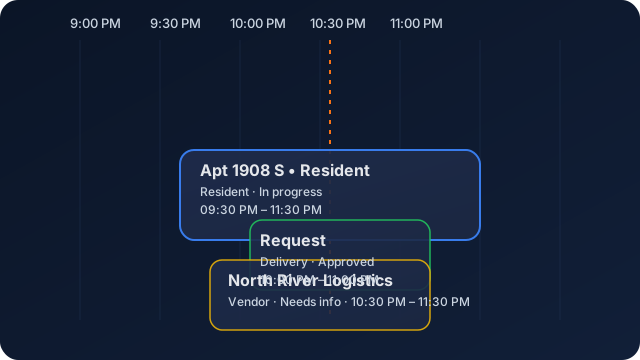
Live timeline shows docks and elevators with conflicts highlighted and now-line guidance.
Built for property ops
Resource-aware scheduling for docks, elevators, residents, vendors, and deliveries.
Unified requests
Residents, vendors, and deliveries submit the same simple form—no emails or phone calls to route.
Smart resource routing
Assign docks and elevators with conflict detection and per-resource windows for smooth days.
Live status sync
Inbox and timeline stay mirrored from submitted to in progress to completed or no show.
Property-ready
Apartment suffix clarity, vendor tagging, and property-code onboarding out of the box.
Product in action
These are the core views your team and residents will see every day.
Screens are sized to fit without overpowering the copy.
Keep the day on schedule
Approve requests in minutes. Avoid dock pile-ups. Give residents and vendors clarity.
FAQs
Is it mobile-friendly?
Yes. The request form, inbox, and timeline are built for mobile and desktop.
Do you support multiple docks and elevators?
Yes. Each resource has its own windows, conflicts, and assignments.
Can residents and vendors self-serve?
Yes. Use invites or a property code to onboard with the right rules.
How do statuses work?
Statuses stay in sync across inbox and timeline: submitted, approved, in progress, completed, no show.